HPR-C1 · HPR-C2 · HPR-C3
Operating manual
This manual covers the three devices on hyperprior.net. Read it before operating them, or after, which is what most people do.
1
HPR-C1 Calling card
A calling card in clear resin over a circuit board, issued at the door. It admits one visitor at a time.
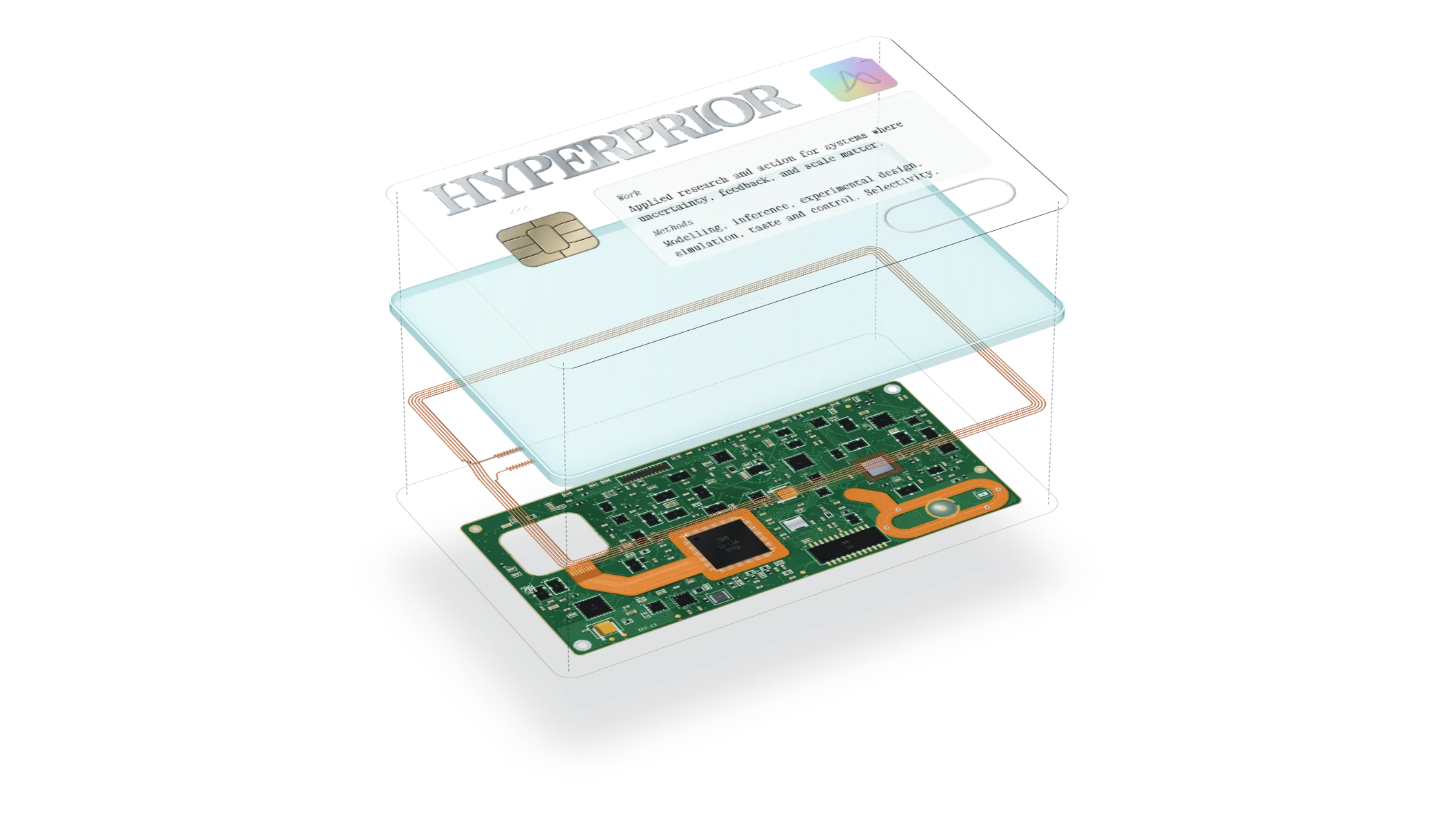
Parts
- 1Resin body, clear with a faint aqua tint, thicker than a bank card
- 2Wordmark, embossed, with the ink worn at the high points
- 3Contact module, eight pads, traced to the main chip
- 4Antenna coil, copper, under the wordmark
- 5Main chip, under the Methods line, with a flash chip and passives beside it
- 6Holographic seal, one corner lifted
- 7Enter key, recessed, laser-etched, with a chrome contact ring and a light beneath
- 8Part number, etched near the lower edge
Operation
- 1Hold the card to the light and tilt it. The seal brightens as the pointer nears Enter.
- 2Press Enter. The card leaves and the page begins at the top.
- 3To see the back, press the mark engraved TURN OVER, or press F, or hold the pointer at the card’s edge. The back carries the instructions, the registration line and the serial, and a press on it turns the card back.
- 4On a reload of the home page the card is issued again. Arriving from another page of the site, or by a deep link, it is not.
Care
Keep away from heat, magnets and strong opinions. Do not laminate.
2
HPR-C2 Calibrator
A hand-held calibrator with a thermal printer. It puts five statements to you, takes a yes or a no and how sure you are, and prints a receipt that scores you in bits against a coin and with a Brier score. A graded case is available for receipts worth keeping.
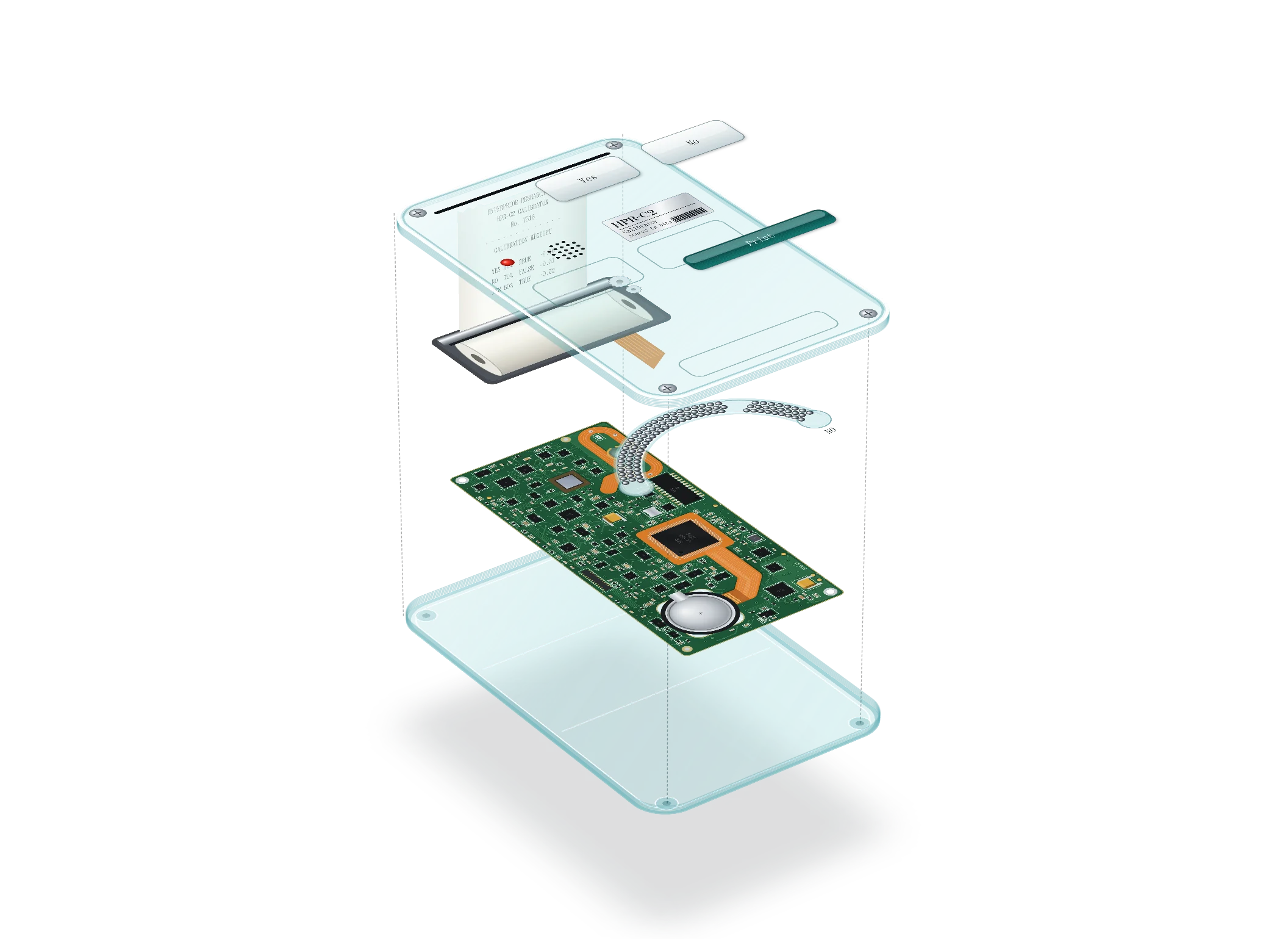
Parts
- 1Shell, clear aqua polycarbonate, two screws through bosses
- 2Thermal printer mechanism, with roller and flex cable
- 3Paper roll, 26 columns
- 4Main board, with the main chip, an empty footprint where a radio would go, and passives in rows
- 5Coin cell, in a holder
- 6Keys marked Yes and No, milky
- 7Key marked Print, dark teal
- 8Gauge, a glass race of one hundred chrome balls with a chamber at each end, marked YES and NO
- 9Status light, red
- 10Speaker grille. Decorative. The device is silent.
- 11Part number label, silver
Operation
- 1Open the calibrator from the seal beside the Calibration row of the terms, at the address /calibrate, or by typing calibrate on the home page.
- 2Read the statement. Press Yes or No.
- 3Set how sure you are. The balls divide between the chambers as you do. At 50 they are level. At 99 all but one sit in your chamber.
- 4Press Print. After five statements the receipt prints, with a row for each and the scores at the foot.
- 5Press Tear off. Then Grade it, if the receipt deserves a case.
- 6Save the slab as an image, and Post it from your own account if you like. The post carries a link to the same five statements, so anyone who follows it is scored on the same ground.
- 7Hold Print for a second with no round running and the printer prints its self test.
Keys
Y yes, N no, the arrows how sure, Enter print, T tear off, G grade, S save, P post, Esc close.
Care
Thermal paper fades in sunlight. So do priors. Keep the receipt somewhere dark.
3
HPR-C3 Communicator
A pocket communicator in lime resin with a black board inside. It composes a message on a slip from a one-time pad and hands it to your own mail app, which does the sending. The device keeps no copy.
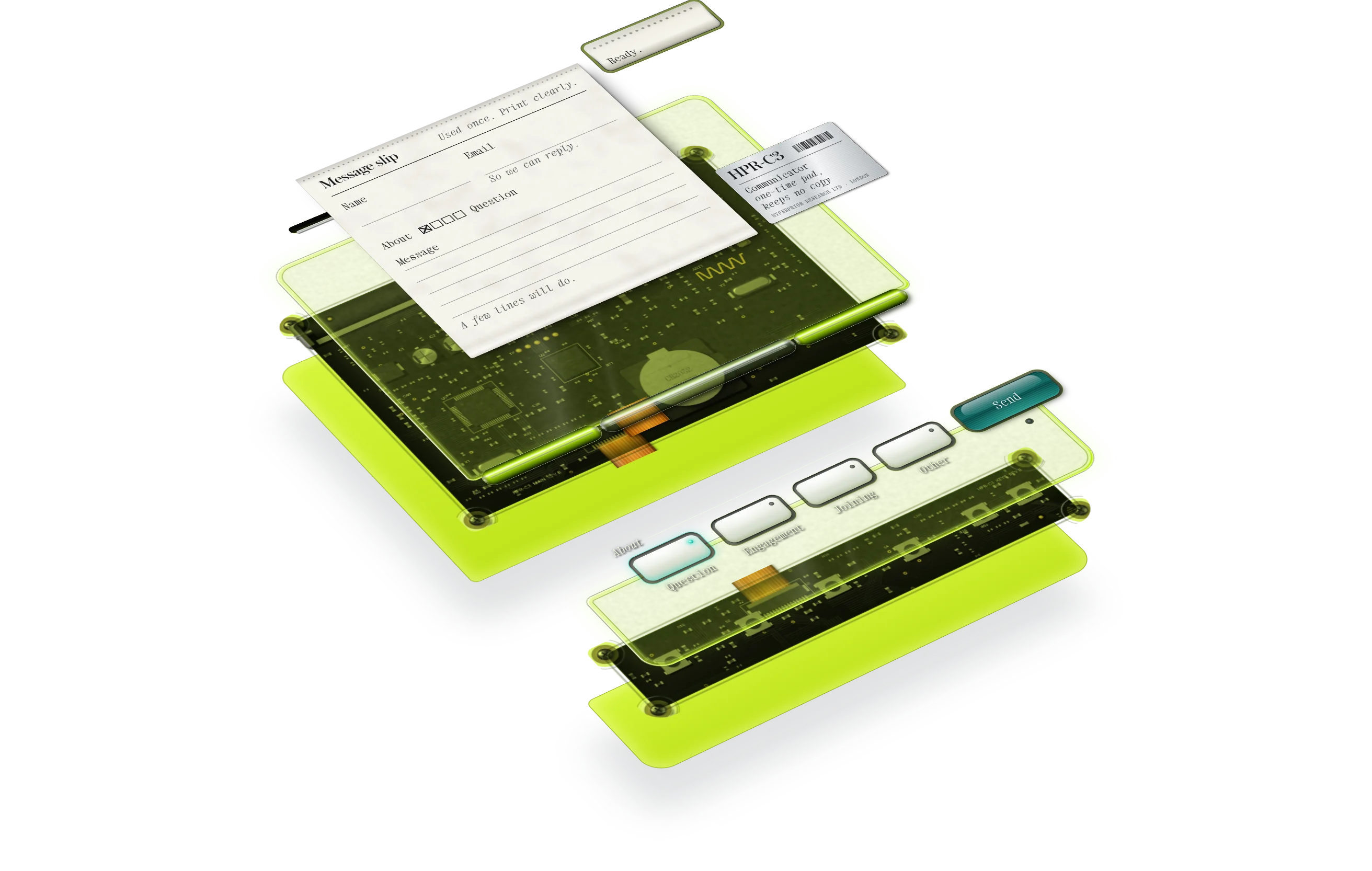
Parts
- 1Shell, lime clear front over a clear back
- 2Board, black solder mask, with a radio module and a coin cell
- 3Slot, along the top edge, with the paper slip
- 4Topic keys, four, milky, under the printed legend About
- 5Key marked Send, dark teal, with a light beneath
- 6Copy keys, two, flat, which appear after Send (not shown)
- 7Stub, which prints the status after Send
- 8Part number label, silver
Operation
- 1Fill in the slip. Your name, an email so we can reply, and a message. A few lines will do.
- 2Press the key for what it is about. Question, for anything you want to ask. Engagement, for work you want done. Joining goes to the people who read applications. Other, for the rest.
- 3Press Send. The slip feeds into the device and your mail app opens with the message ready. Nothing is sent until you send it from there.
- 4If nothing opened, the two Copy keys put the address and the message on your clipboard, one at a time.
- 5When you come back from your mail app, the stub says so.
Care
Do not post the slip. Your mail app does that.
4
Troubleshooting
| Symptom | Cause | Remedy |
|---|---|---|
| Receipt prints blank. | Your priors are empty. | Press Print again. |
| A coin beat me. | The coin did not read the questions. | Read the questions. |
| The balls will not settle. | You are undecided. | Decide, then press Print. |
| The grade is Void. | One sure miss costs more than several careful hits. | Be less sure, or be right. |
| The slab will not post. | X takes text only. | Save the slab, then attach it. |
| The card keeps coming back. | You reloaded the home page. | Enter again. It is quick. |
| The seal is dull. | The pointer is far from Enter. | Move it closer. |
| Nothing opened after Send. | This browser has no mail app set up. | Press Copy address, then Copy message. |
| The metal is still. | Motion is paused, or your settings ask for less of it. | Press Resume, or leave it. It is a good still. |
| I typed xray and the site came apart. | It is meant to. | Press Esc. |
| The page makes no sound. | Correct. | None required. |
5
Specifications
- Devices
- Three. HPR-C1, HPR-C2, HPR-C3
- Statements in the banks
- 400 general and 200 on machine learning, each checked
- Statements in a round
- Five, drawn by a seed
- Receipt
- 26 columns, thermal
- Grade scale
- 1 to 10, in halves. Reference, Laboratory, Working, Field, Coin, Void
- Type
- Austin and Xanh Mono
- Firmware
- 0e3cb7e
- Page weight
- 1.3 MB, from the card to the footer
- Requests to other servers
- None
- Cookies
- None
- Sound
- None
Specifications subject to change without notice. Beliefs likewise.